Getting started
Pushpush lets you send push notifications to your phone with a single HTTP request or an MCP tool call from Claude Code.
1. Get the app
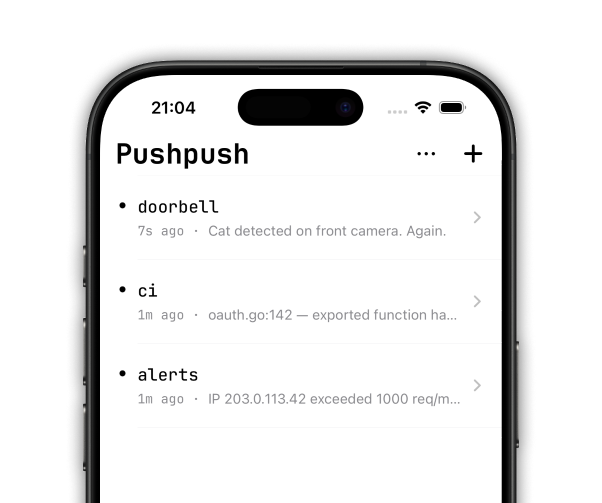
Install the Pushpush iOS app, sign in, and pick a plan. The app is where your account and subscription live — once you’re signed in there, any other client (MCP, curl) is just another way to reach the same account.
Subscribe to the topics you want to receive, and notifications show up on your phone.
2. Connect via MCP
Add Pushpush to Claude Code using the MCP CLI:
claude mcp add -t http \
  pushpush https://a.pushpu.sh/mcp
Then open the MCP menu in Claude Code:
/mcp
The first time you use a Pushpush tool, you’ll be prompted to sign in via your browser — use the same account you set up in the app.
Once connected, you get access to some tools:
- send_push — Send a notification to a topic
- list_messages — Read recent messages from a topic
- get_token — Generate an API token for use with curl/scripts
- manage_account — Get a link to manage your subscription, billing, and account settings
The tools are self-documenting, so you can simply ask the model to “help manage your Pushpush account” or “send me a push on the Claude topic”.
3. Send your first notification
Ask Claude Code:
Send a push notification to the “test” topic with the message “Hello from Claude Code”
You can also include a title, priority (1-5), and a URL to open on tap:
Send a push to “deploys” with message “v2.1.0 is live”, title “Deploy complete”, priority 4, and click URL https://example.com/status
Manage your account
To manage your account, just ask to “manage your Pushpush account” — the manage_account tool will hand back the right link.
Your subscription is managed through the App Store (iOS Settings → your Apple ID → Subscriptions). Authentication is handled by Kinde. If you’re on a team plan, billing and seat management live in the Kinde portal.
If you need help, let us know via support@pushpu.sh.
Get an API token (optional)
Ask Claude Code:
Get me a Push API token
This returns a JWT you can use with curl, scripts, CI pipelines — anything that can make HTTP requests. Tokens last 7 days by default.
For a non-expiring token (useful for automation):
Get me a Push API token that doesn’t expire
Use the API with curl
Send a notification (simple)
curl -X POST https://a.pushpu.sh/my-alerts \
  -H "Authorization: Bearer eyJhbG...your-token" \
  -d "Backup completed successfully"
The request body becomes the notification message. The URL path is the topic name.
Send a notification (rich)
curl -X POST https://a.pushpu.sh/ \
  -H "Authorization: Bearer eyJhbG...your-token" \
  -H "Content-Type: application/json" \
  -d '{
    "topic": "deploys",
    "title": "Deploy complete",
    "message": "v2.1.0 deployed to production",
    "priority": 4,
    "actions": [
      { "action": "view", "label": "Open dashboard", "url": "https://example.com/dashboard" }
    ]
  }'
Poll for messages
curl https://a.pushpu.sh/my-alerts/json?since=1h \
  -H "Authorization: Bearer eyJhbG...your-token"
Returns newline-delimited JSON, one message per line.